
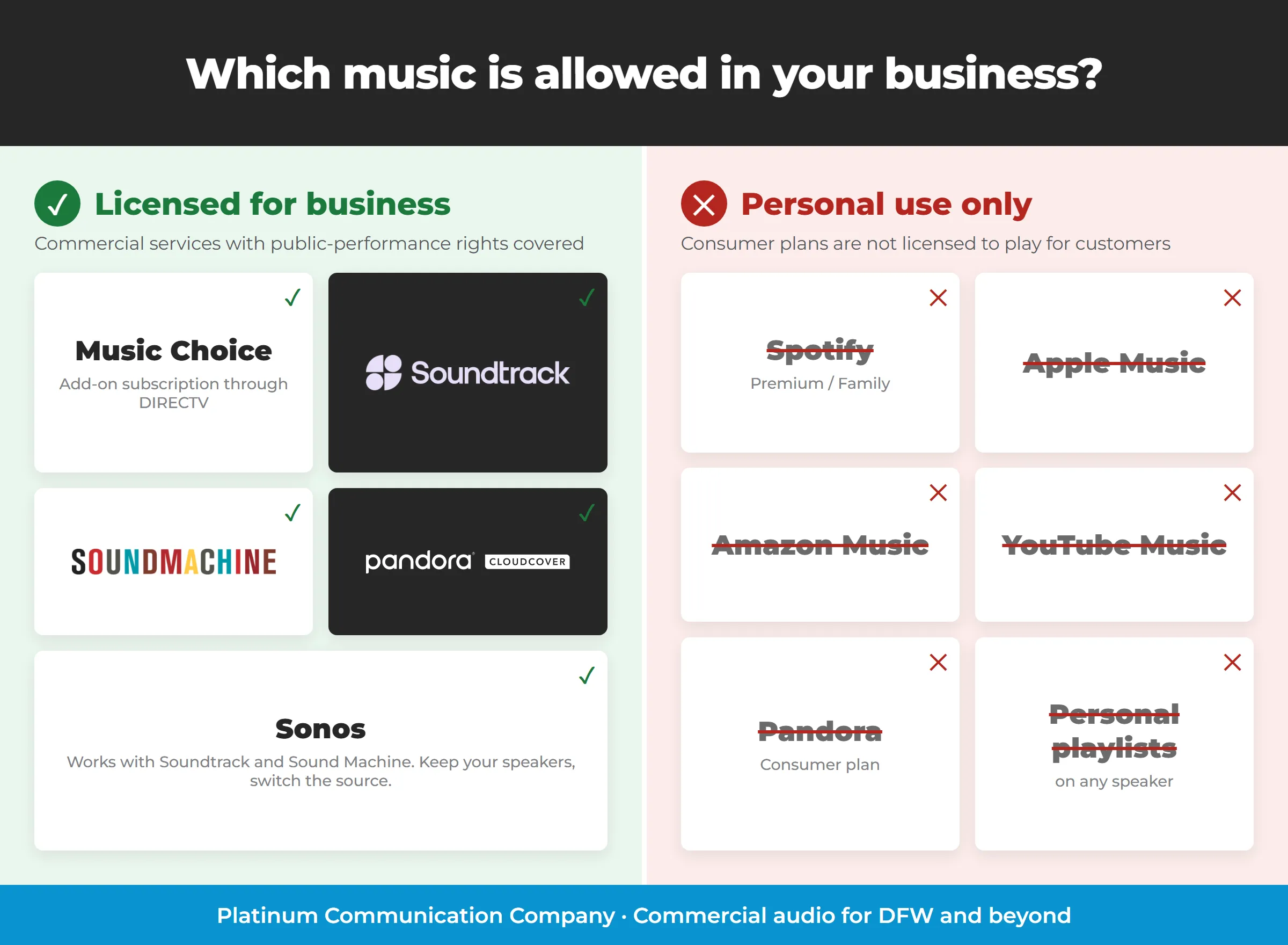
Background music is licensed differently than TV, and most businesses only find out when a letter shows up.
The music in your business needs its own license
Music playing in a restaurant, bar, salon, gym, office, or waiting room is a public performance, and public performances of copyrighted songs have to be licensed. In the U.S. that licensing runs through the performing rights organizations: ASCAP, BMI, SESAC, and GMR. If you play music for customers, somebody has to be paying for those rights. The only real question is who.
DIRECTV spells this out in its own commercial customer letter. In plain English, it says your DIRECTV subscription does not make you “covered” for music, with one exception.
What DIRECTV actually covers: Music Choice, and only Music Choice
According to DIRECTV’s Performance Rights for Commercial Business Establishments notice and its letter to commercial customers:
- Music Choice is covered. Music Choice pays the performing rights for the Music Choice service. If it is your only music source, you can tell ASCAP, BMI, and SESAC that you subscribe to Music Choice and that Music Choice is paying the performing rights.
- Only for background or mood music. The Music Choice agreement covers background music in your premises. Music used as the primary source of entertainment, such as for dancing, is not covered.
- Not covered at all: any premises that charge admission, and ballrooms, discotheques, dance studios, skating rinks, or other places where dancing occurs, even if there is no admission charge.
- Music on hold through Music Choice is covered.
- Everything else is still on you. Jukeboxes, music from your TV, music from DIRECTV programming other than Music Choice, and every other source you use are still your responsibility. DIRECTV’s commercial agreement says it has no liability for music license fees tied to the programming it provides.
That is a solid deal for a lot of businesses: if the right answer for your space is “pleasant music in the background, no fuss,” Music Choice is a simple add-on to your DIRECTV service, and there is nothing else to license for that music.
The problem is the last bullet. The moment you add a second music source, you own the licensing for it.
The Sonos and Spotify problem
We see this one all the time. A business installs a nice Sonos system, signs in with the owner’s Spotify or Apple Music account, and the music plays. It sounds great and it works, but those consumer plans are sold for personal, non-commercial listening. Playing them for customers is not what the subscription is for, and DIRECTV’s coverage does not extend to them either, because they are not Music Choice.
The good news is that you usually do not have to throw out the Sonos system. Soundtrack Your Brand and Sound Machine both run on the Sonos speakers you already own. You swap the consumer login for a licensed commercial service and keep the hardware, the zones, and the app your staff already knows. We can help with that swap.
Your options, side by side
Here is how the main options compare on the things that matter when you are choosing: what the music selection looks like, how much control you have over it, what hardware it needs, and what extra zones cost. We do not list prices here because they change, so you will always find current pricing on each service’s sign-up page.
Music Choice (add-on subscription through DIRECTV)
- Playlist selection: A set of genre channels, such as pop, country, jazz, classical, and more. You pick a channel, not a playlist.
- Song customization: None. You cannot pick songs, block songs, or build a schedule.
- Hardware: A DIRECTV receiver with its audio sent to your sound system. Each receiver is one music source, so separate music in separate areas takes more receivers or some audio routing.
- Licensing and cost: Performing rights for background music are already covered, and the service is an additional subscription through DIRECTV. There is no extra charge for playing the same music in additional zones.
- Best for: Simple background music, businesses that already have DIRECTV, and anyone who wants one simple subscription with no per-zone charges.
- Watch out for: Admission-charged venues and anywhere there is dancing are outside the coverage.
Soundtrack Your Brand
- Playlist selection: Large library of professionally curated playlists by mood, genre, and business type, built to match a brand.
- Song customization: Strong. You can schedule different playlists by time of day, adjust and shape what plays, and block tracks you don’t want.
- Hardware: Works with Sonos, so your existing speakers and zones can stay as they are, or you can use Soundtrack’s own player.
- Licensing and cost: A commercial service with business music licensing built in, billed by the zone, and each extra zone is charged at the full rate. See the sign-up page for current pricing.
- Best for: Brands that care about a consistent sound across locations, and businesses that want curated playlists and scheduling without managing music day to day.
Sound Machine
- Playlist selection: Pre-programmed music channels for businesses, with a wide choice of styles.
- Song customization: Channels are curated for you, with scheduling and the ability to change what plays by time of day.
- Hardware: Works with Sonos, or with a small player or compatible app and your existing audio system.
- Licensing and cost: A commercial service with music licensing included. You do not pay extra to play music in additional zones, which makes it a strong value for multi-zone spaces. See the sign-up page for current pricing.
- Best for: Businesses that want set-it-and-forget-it commercial music with a simple subscription.
Pandora for Business (Cloud Cover)
- Playlist selection: Big catalog of stations and playlists, including familiar Pandora-style stations.
- Song customization: Deep. You can build your own playlists, set schedules, and block songs. This is the one to look at if you want to really shape the sound.
- Hardware: Device or browser only. Cloud Cover does not run on Sonos, so you play it from a computer, tablet, or other device (or a web browser) connected to your sound system.
- Licensing and cost: A commercial service with music licensing included. Extra zones and extra players cost additional on the plans that support them. See the sign-up page for current pricing.
- Best for: Owners and managers who want to fine tune what plays and when.
Quick comparison
| Music Choice | Soundtrack Your Brand | Sound Machine | Pandora / Cloud Cover | |
|---|---|---|---|---|
| Playlist selection | Genre channels | Large curated library | Curated channels | Large catalog and stations |
| Song customization | None | Strong, scheduling and blocking | Scheduling | Deep, build your own |
| Hardware | DIRECTV receiver | Works with Sonos, or player or app | Works with Sonos, or player or app | Device or browser only (not Sonos) |
| Licensing | Covered for background music | Included | Included | Included |
| Zone cost | No per-zone charge | Extra zones at full rate | No extra charge for more zones | Extra zones and players cost more |
How to choose
- You have DIRECTV and just want music on in the background: use Music Choice. It is one DIRECTV subscription, and the licensing is already covered.
- You want control, scheduling, or a consistent brand sound: Soundtrack Your Brand, or Pandora for Business (Cloud Cover) if you are happy playing from a device or browser instead of Sonos.
- You want a simple, no-fuss commercial service that runs on Sonos: Sound Machine.
- You have Sonos with Spotify or Apple Music: keep the Sonos and move to Soundtrack Your Brand or Sound Machine.
- You charge admission or have dancing: talk to the performing rights organizations directly. Music Choice does not cover those situations, and you need to confirm what applies to you.
Extra zones are where the costs really differ. Music Choice and Sound Machine do not charge for playing music in additional zones, while Soundtrack Your Brand and Cloud Cover do. A restaurant with a dining room, a bar, a patio, and a restroom zone is four zones, not one, so check how each service counts them before you commit.
This post is a plain-English overview of DIRECTV’s published guidance, not legal advice. For questions about your specific licensing obligations, contact ASCAP, BMI, SESAC, or GMR.
Get set up
We can help you pick the right service, get it running on your existing speakers or Sonos system, and set up zones your staff can control.
Some of these are partner links, so Platinum may receive a referral credit at no extra cost to you.
Related reading
- More Than DIRECTV: Video, Audio & Networking Done Right
- Sunday Ticket Without the Spaghetti: Cleaning Up the Cables Behind Your Bar
- See all our services
Not sure what your business needs for music?
We will look at your space and your current setup and point you to the right fit.
Call (817) 551-1000 Get a Free Quote
Or email [email protected]
